 RailSnap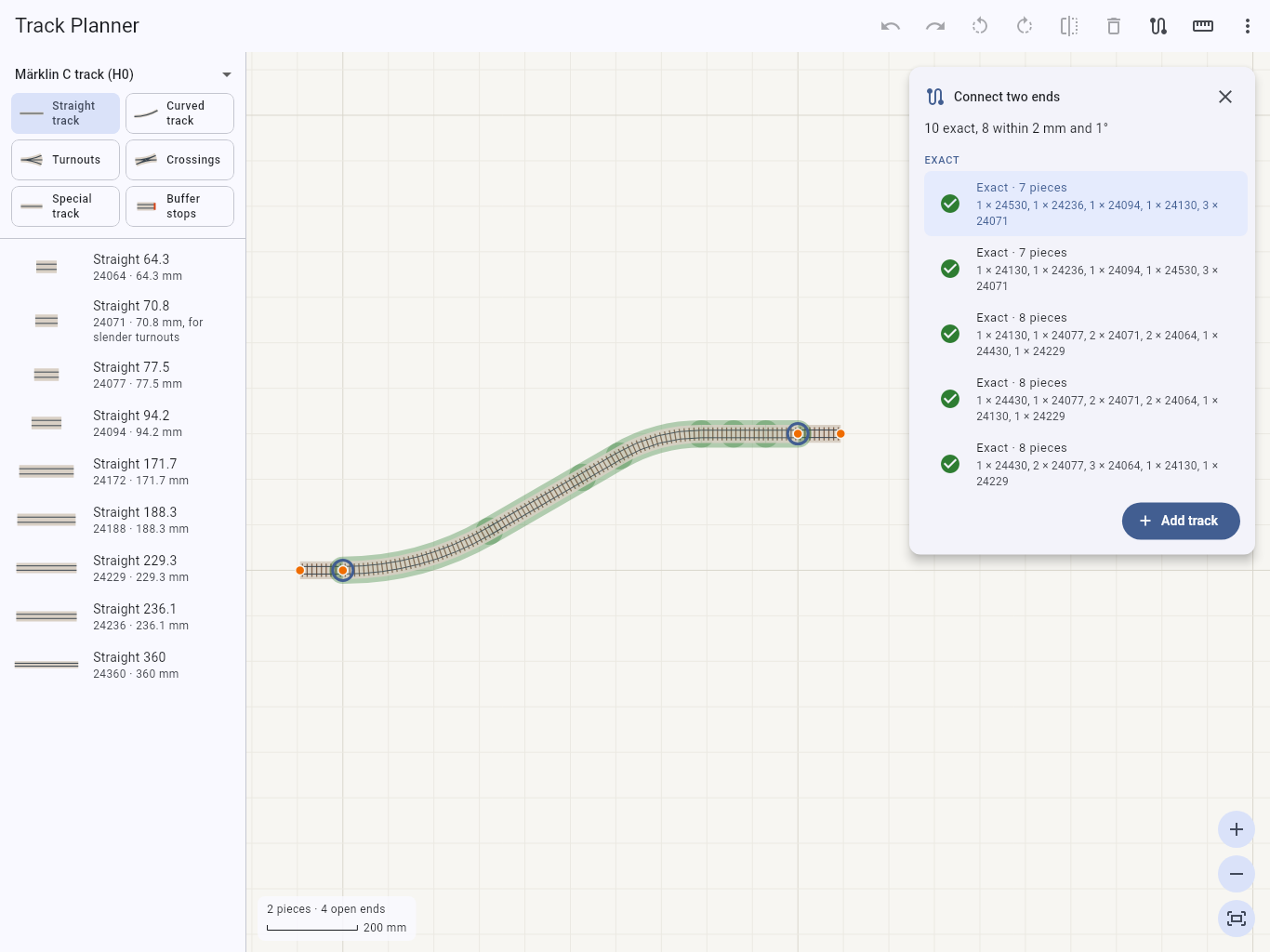
Connect two ends
Pick two open ends and the app works out the straights and curves that join them, exact routes first, each with its error.
RailSnap joins real track pieces at their connectors, by article number: drop a piece near an open end and it snaps into place. A layout that closes on screen also closes when you build it.

Pick two open ends and the app works out the straights and curves that join them, exact routes first, each with its error.
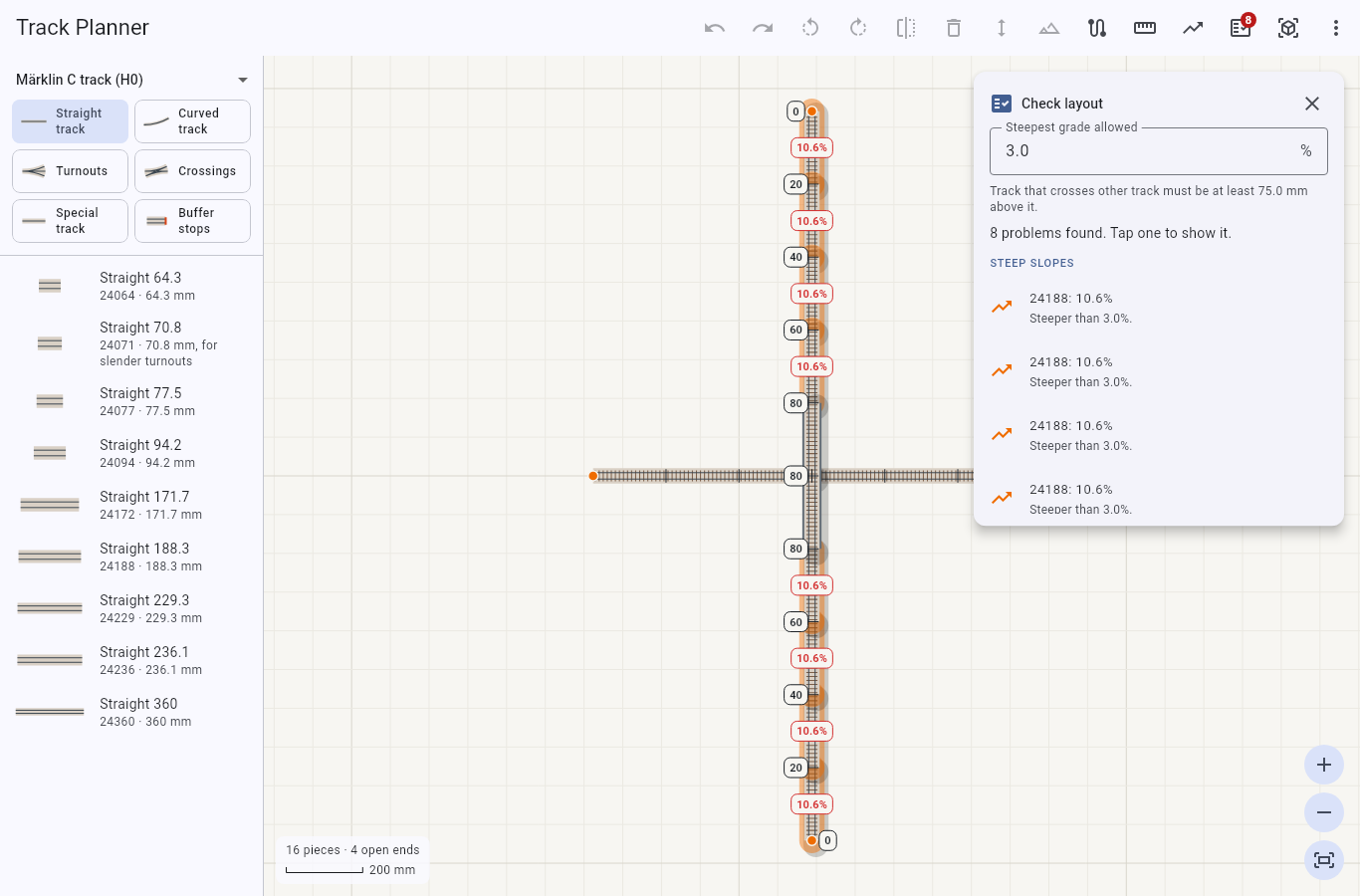
Raise track, grade it into slopes and put it on bridges or in tunnels. The check finds slopes that are too steep and track without enough headroom.
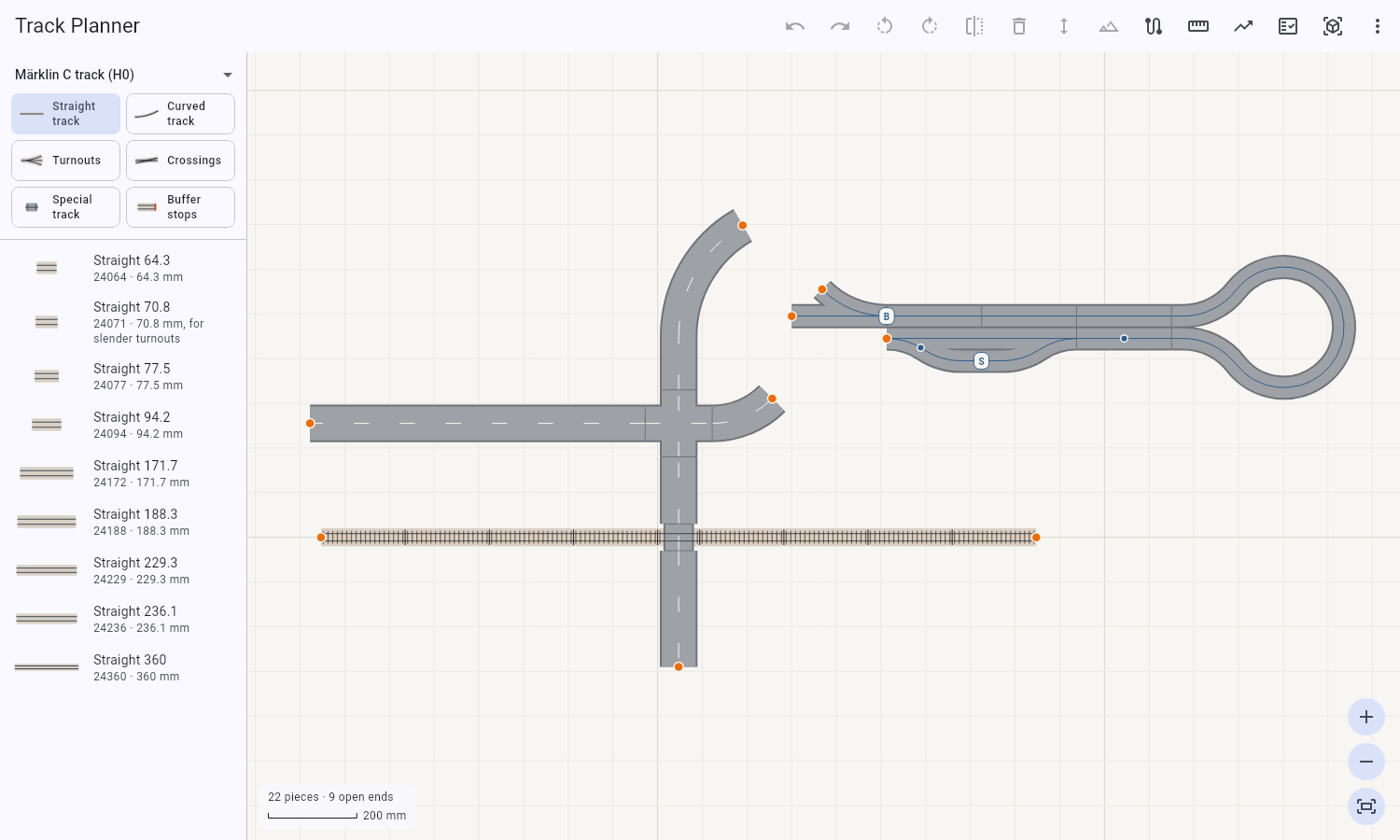
Plan roads from Faller's Laser-Street, Vollmer's road plates and Noch's road film, with level crossings, stops, branches and sensors.
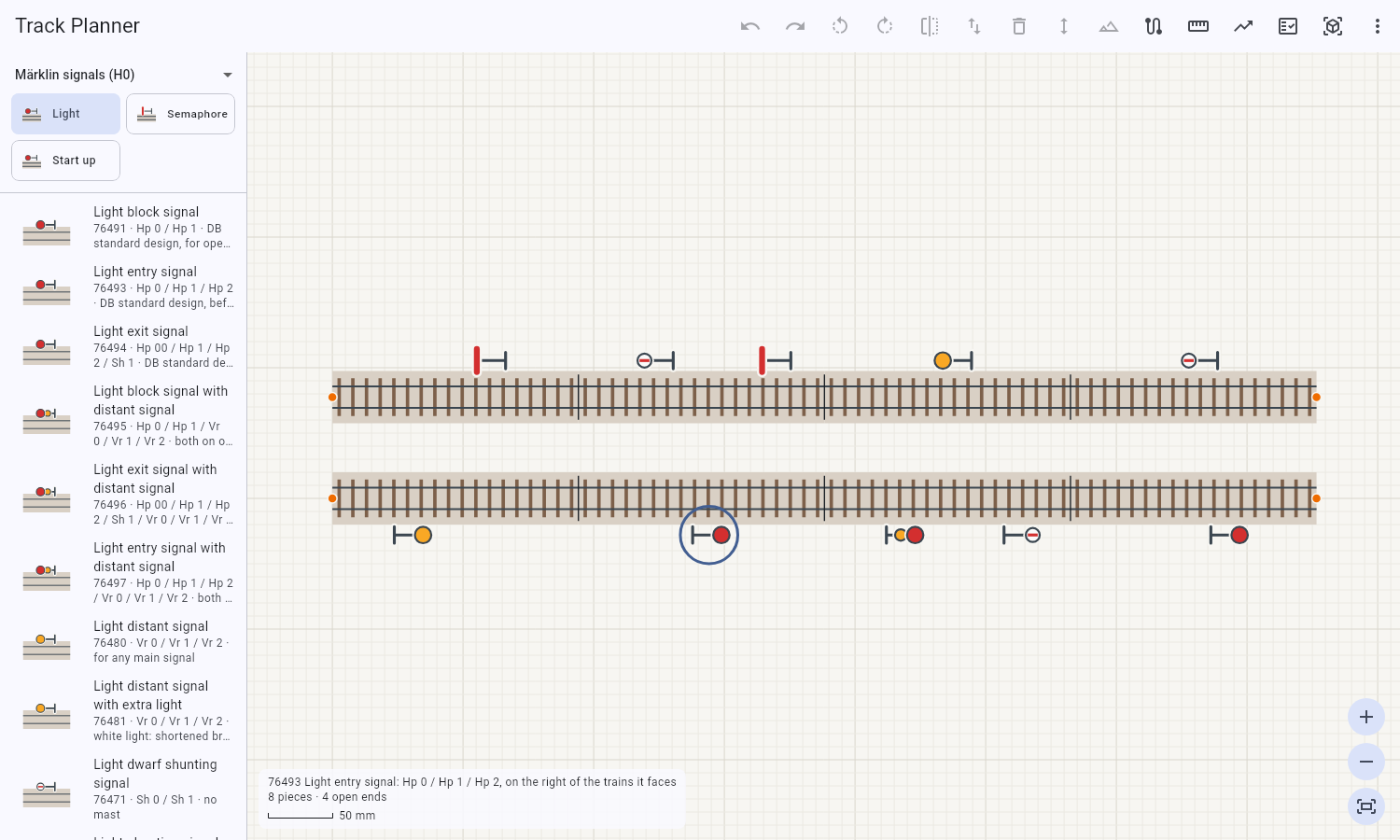
Place Märklin and Trix signals beside the track, and mark which way trains run. The check tells you where trains cannot get back.
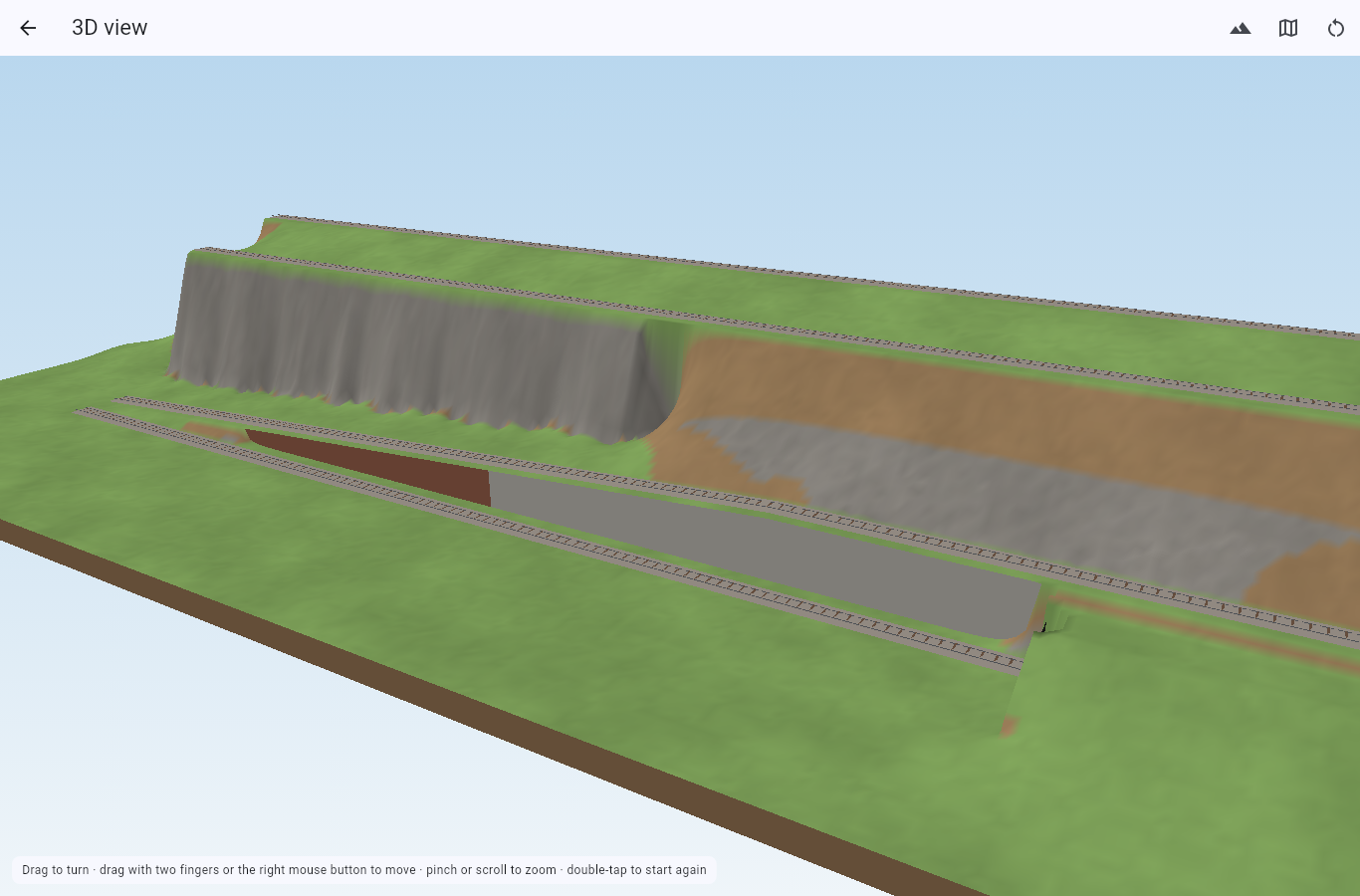
Turn and zoom the layout on its terrain: slopes, retaining walls, rock faces, bridges on piers and tunnels under hills.
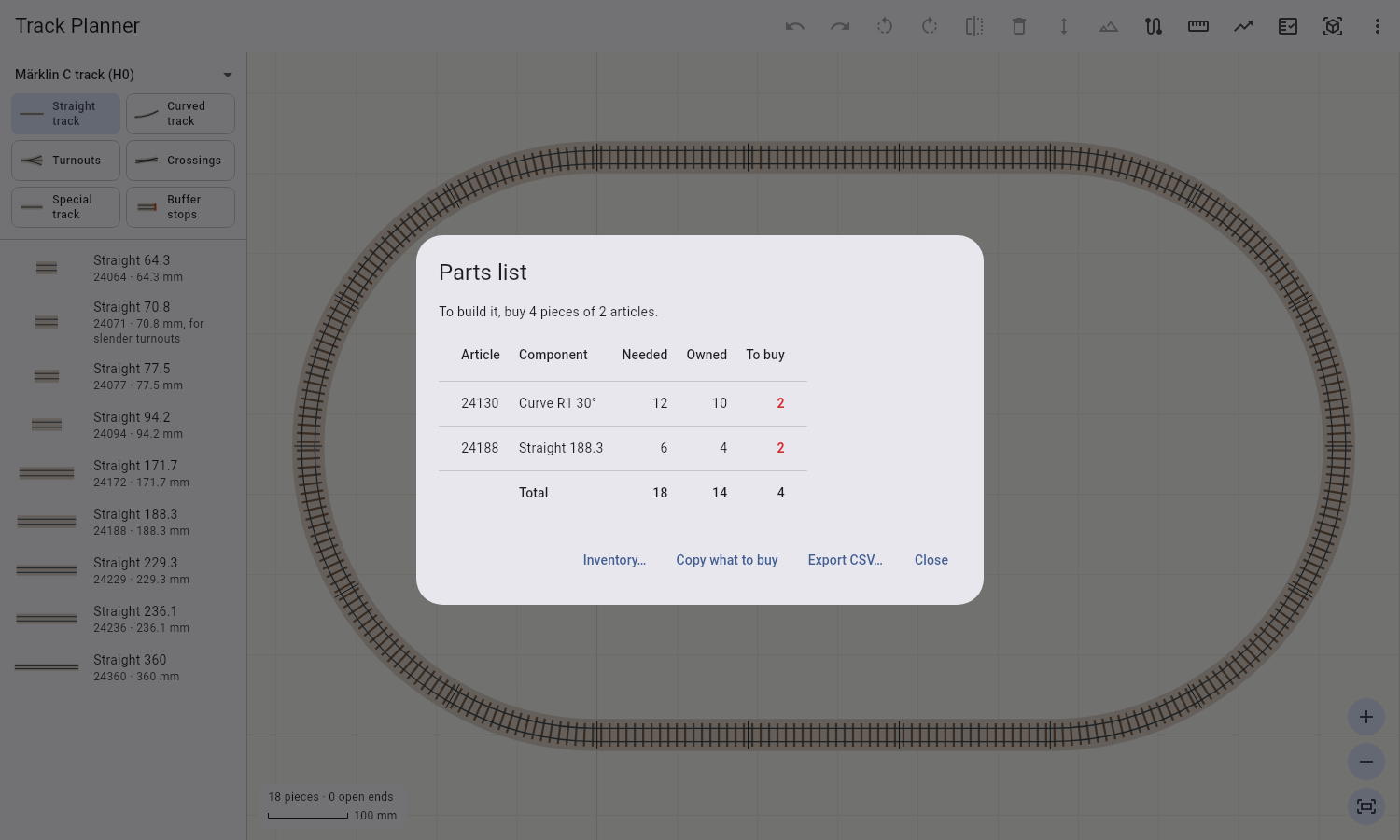
Count the pieces a layout needs, by article number. Keep an inventory of what you own and see what is left to buy.
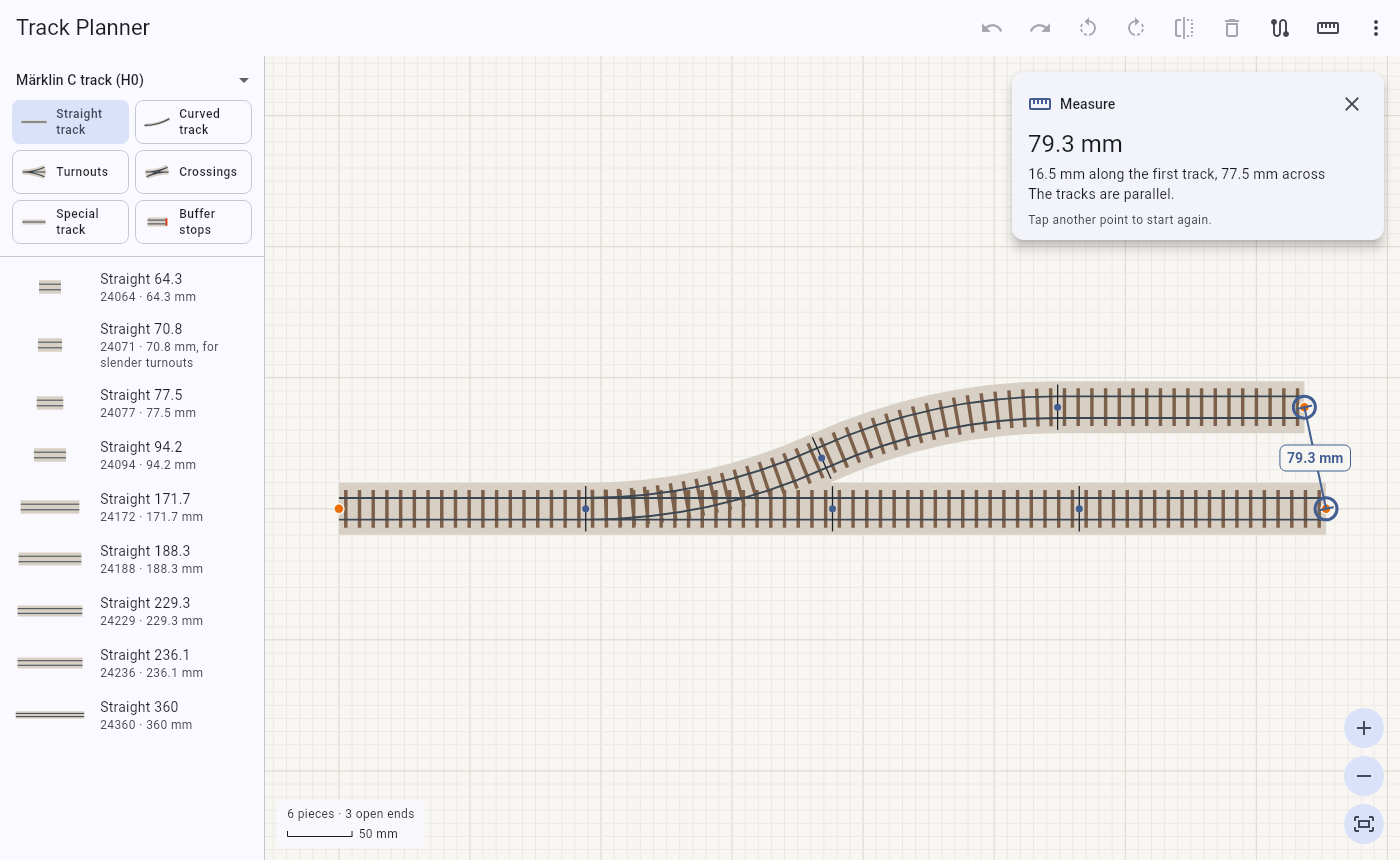
Tap two points to see how far apart they are, along and across the track, and the angle and difference in height between them.
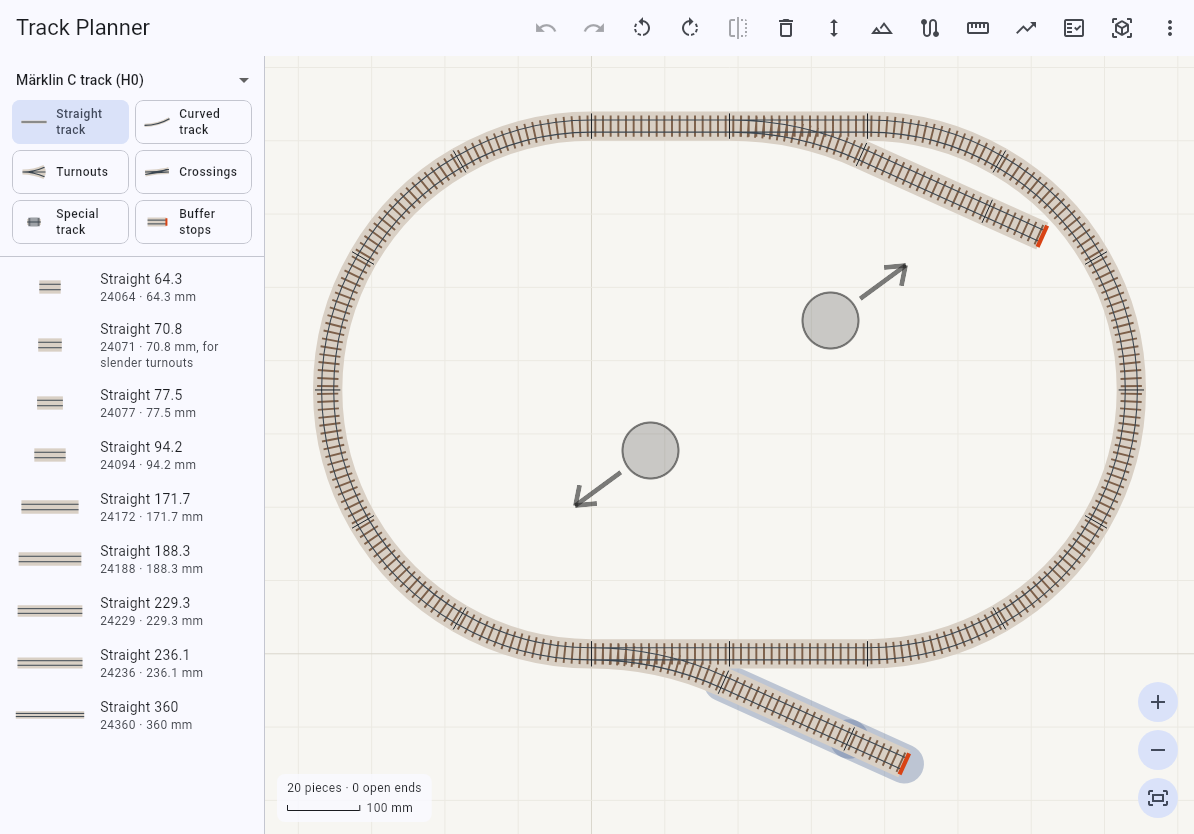
Drag pieces from the list onto the plan, or tap one to add it at the open end. Tap to select, double-tap to select everything joined, long-press and drag to select a box, and pinch to zoom. Buttons fit a fingertip, and open ends answer a tap that is a little off. A mouse, trackpad and keyboard work as well.
Märklin C and K track, Trix C track, Roco Line track with and without a bed, Roco geoLine, and Piko A track with and without a bed, with Märklin's and Trix's signals; Faller Car System Laser-Street, Vollmer road plates and Noch road film.
iPad, Android tablets, Mac and Windows, in English, German, Italian and French.
Share your plans, ask how to build something, and suggest what RailSnap should do next in the forum.